
कार्ड संदर्भ मेनू
Where in the UI: card / preview पर right-click
सेटिंग में जाए बिना त्वरित क्रियाएँ
Interface elements
खोलें
लिंक कॉपी करें
File (यदि downloadId हो)
थंबनेल संपादित करें
नोट
टैग (रंग + "New tag…")
पूर्वावलोकन बनाएँ
Move up / Move down
Move → folder list (Unassigned सहित)
हटाएँ
Main flow
1
कार्ड पर राइट-क्लिक
2
क्रिया चुनें; बाहर क्लिक या Esc से मेनू बंद
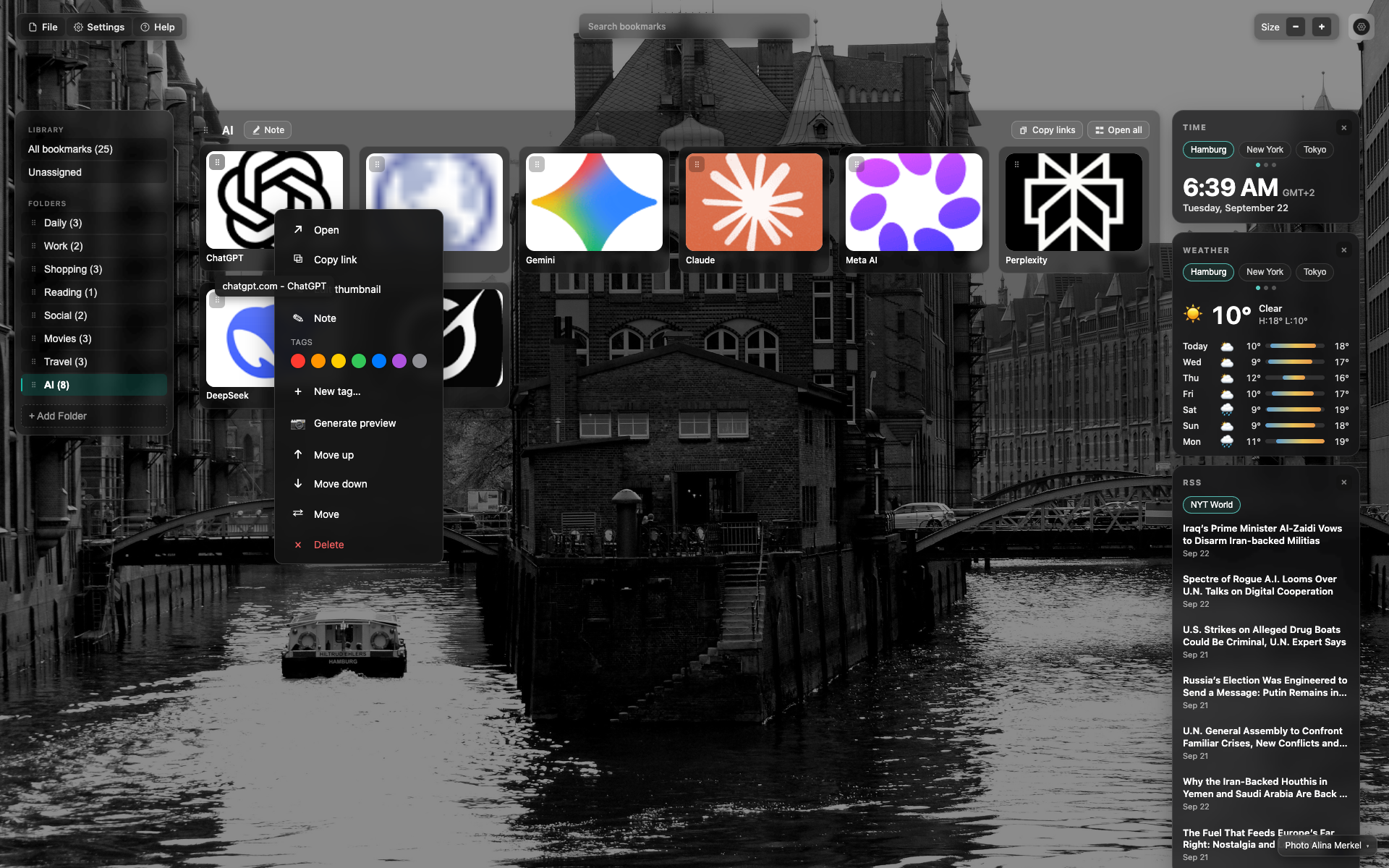
Right-click over the ChatGPT card
A dark popover over the grid.
The Tags block with colored dots is visible.
Items: "Generate preview", "Move up/down", "Move", and a red "Delete".
Related topics
Didn’t find an answer?
Tell us what’s missing — we build the extension around real requests.