
卡片上下文菜单
Where in the UI: 右键卡片 / 预览。
无需进入设置即可快速操作。
Interface elements
打开
复制链接
文件 (如有 downloadId)
编辑缩略图
备注
标签 (一行颜色 + 「新标签…」)
生成预览
上移 / 下移
移动 → 文件夹列表 (含未分配)
删除
Main flow
1
右键点击卡片。
2
选择操作;点击外部或 Esc 关闭。
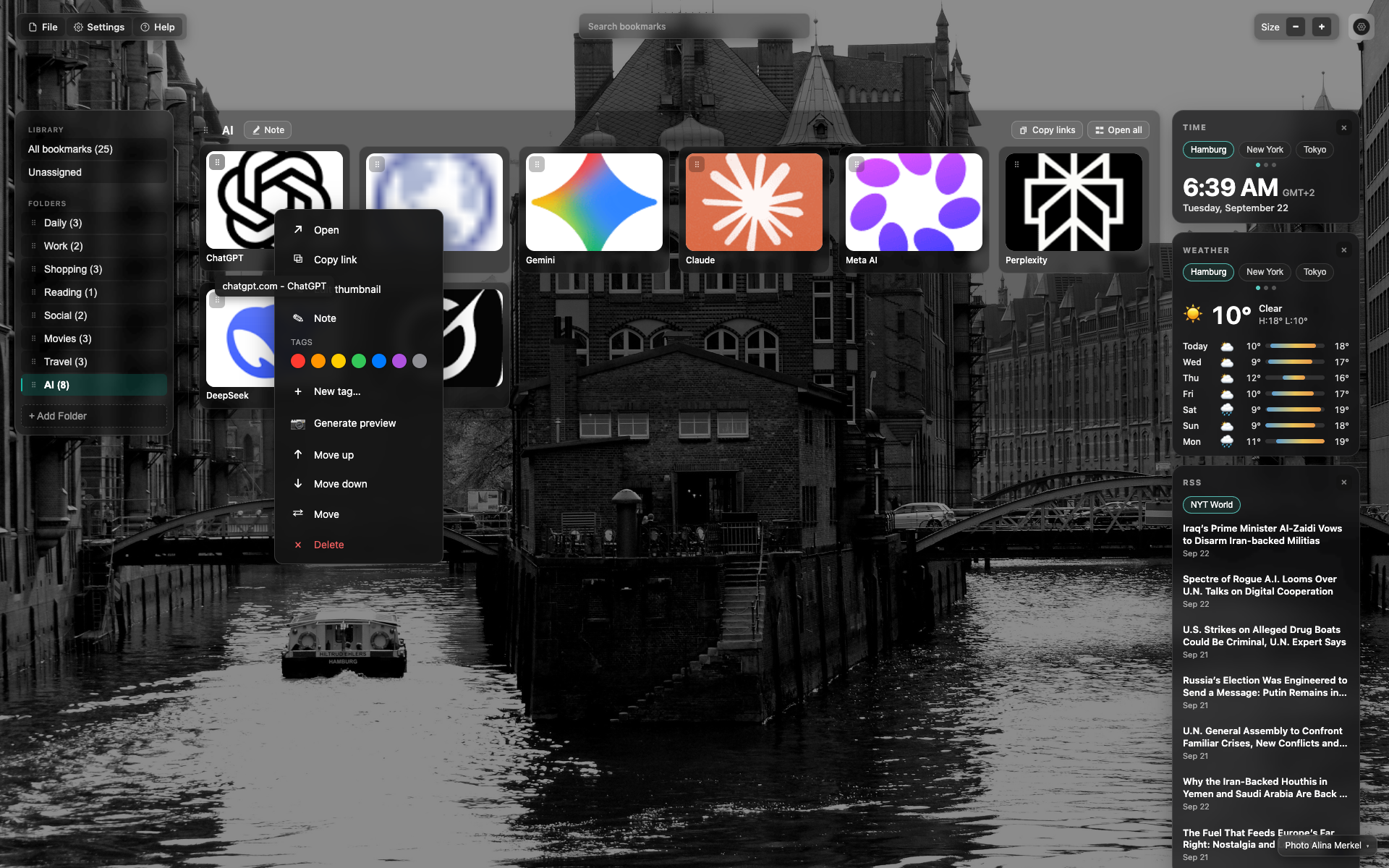
在 ChatGPT 卡片上右键
网格上的深色弹出层。
可见带色点的标签区块。
项:「生成预览」「上移/下移」「移动」及红色「删除」。
Didn’t find an answer?
Tell us what’s missing — we build the extension around real requests.