
ഫോൾഡർ സന്ദർഭ മെനു
Where in the UI: sidebar folder या group header ಮೇಲೆ right-click
അധിക സ്ക്രീനുകൾ ഇല്ലാതെ ഫോൾഡർ നിയന്ത്രിക്കുക.
Interface elements
उप-फ़ोल्डर बनाएँ
लिंक कॉपी ಮಾಡಿ (फ़ोल्डर सभी ബുക്മാർക്ക് क्लिपबोर्ड पर)
नाम बदलें (inline)
കുറിപ്പ്
ടാഗ്
Move up / Move down
ബുക്മാർക്ക് A–Z क्रमबद्ध
പ്രിവ്യൂ बनाएँ (बैच)
Move / Delete (और वariant जो ബുക്മാർക്ക് भी हटाए)
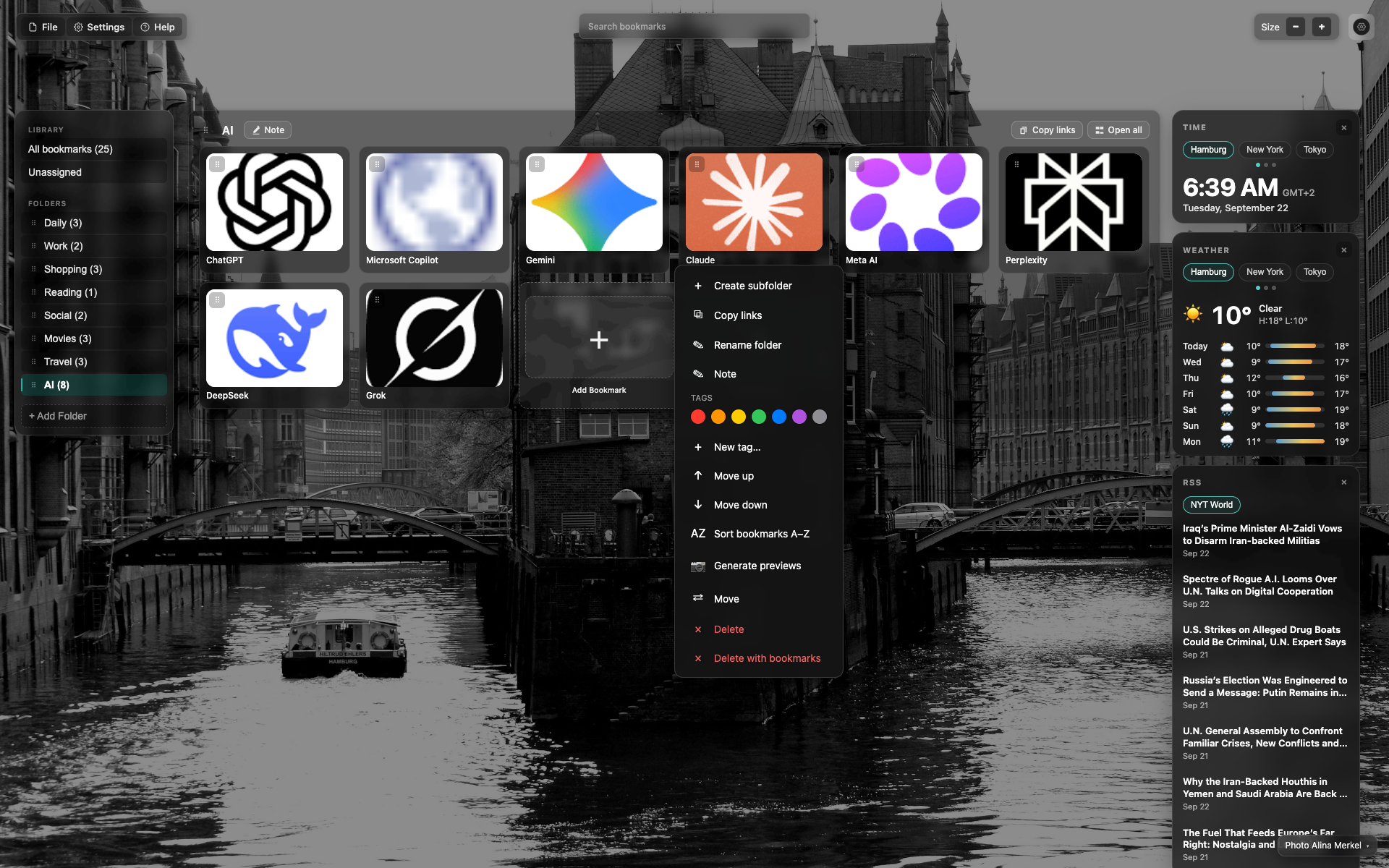
Folder right-click in the sidebar
A menu next to the folder item on the left.
A long action list including sort and batch preview.
Related topics
Didn’t find an answer?
Tell us what’s missing — we build the extension around real requests.