
Folder context menu
Where in the UI: right-click a folder in the sidebar or a group header.
Manage a folder without extra screens.
Interface elements
Create subfolder
Copy links (all the folder's bookmarks to the clipboard)
Rename (inline)
Note
Tags
Move up / Move down
Sort bookmarks A–Z
Generate previews (batch)
Move / Delete (and a variant that removes the bookmarks too)
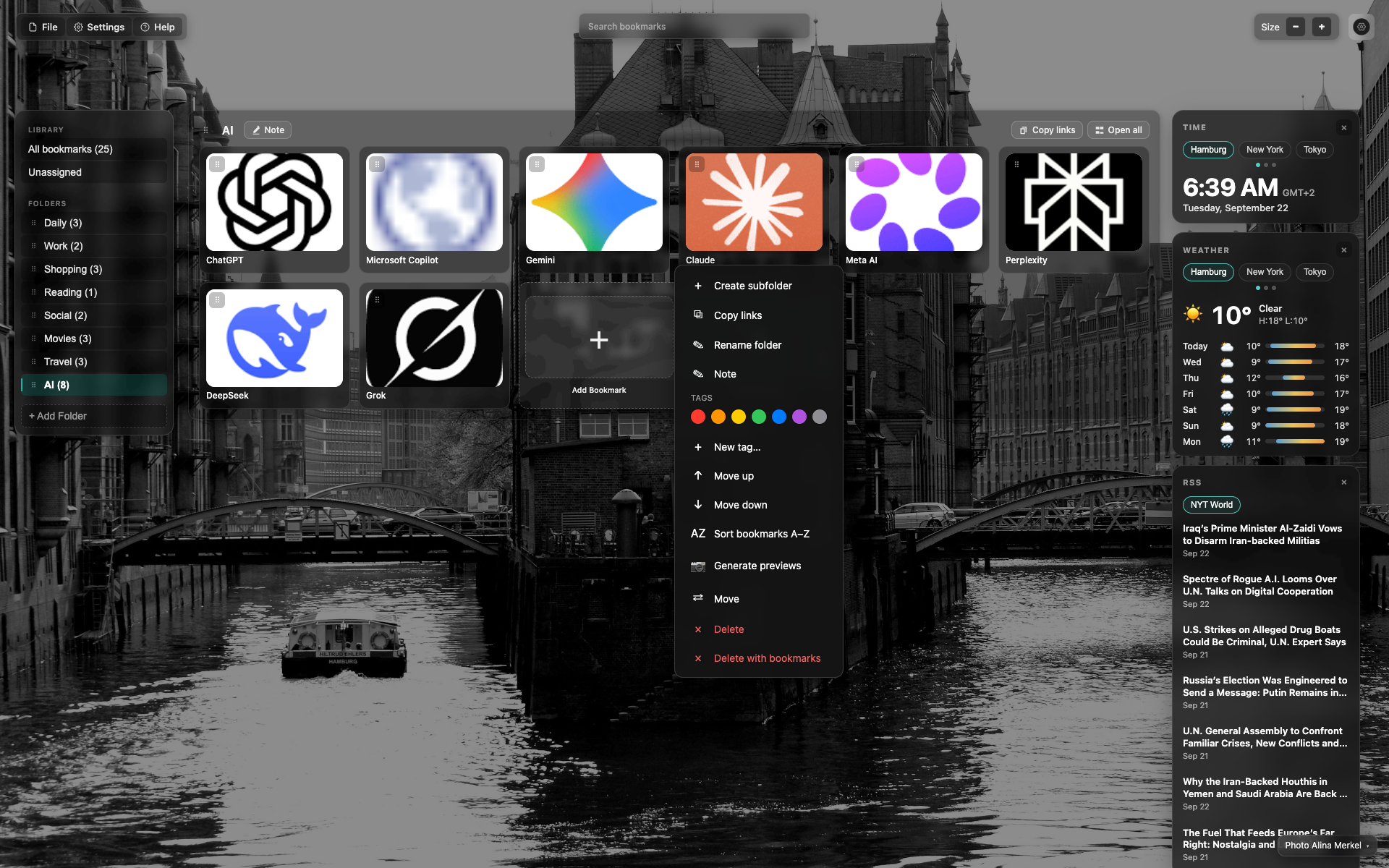
Folder right-click in the sidebar
A menu next to the folder item on the left.
A long action list including sort and batch preview.
Related topics
Didn’t find an answer?
Tell us what’s missing — we build the extension around real requests.