
Settings — General
Where in the UI: All settings → the General tab.
UI language, where bookmarks open, the download folder, a link to Chrome shortcuts.
Interface elements
Language select
Bookmark open target: same-tab / new-tab
Download folder name
A button to open chrome://extensions/shortcuts
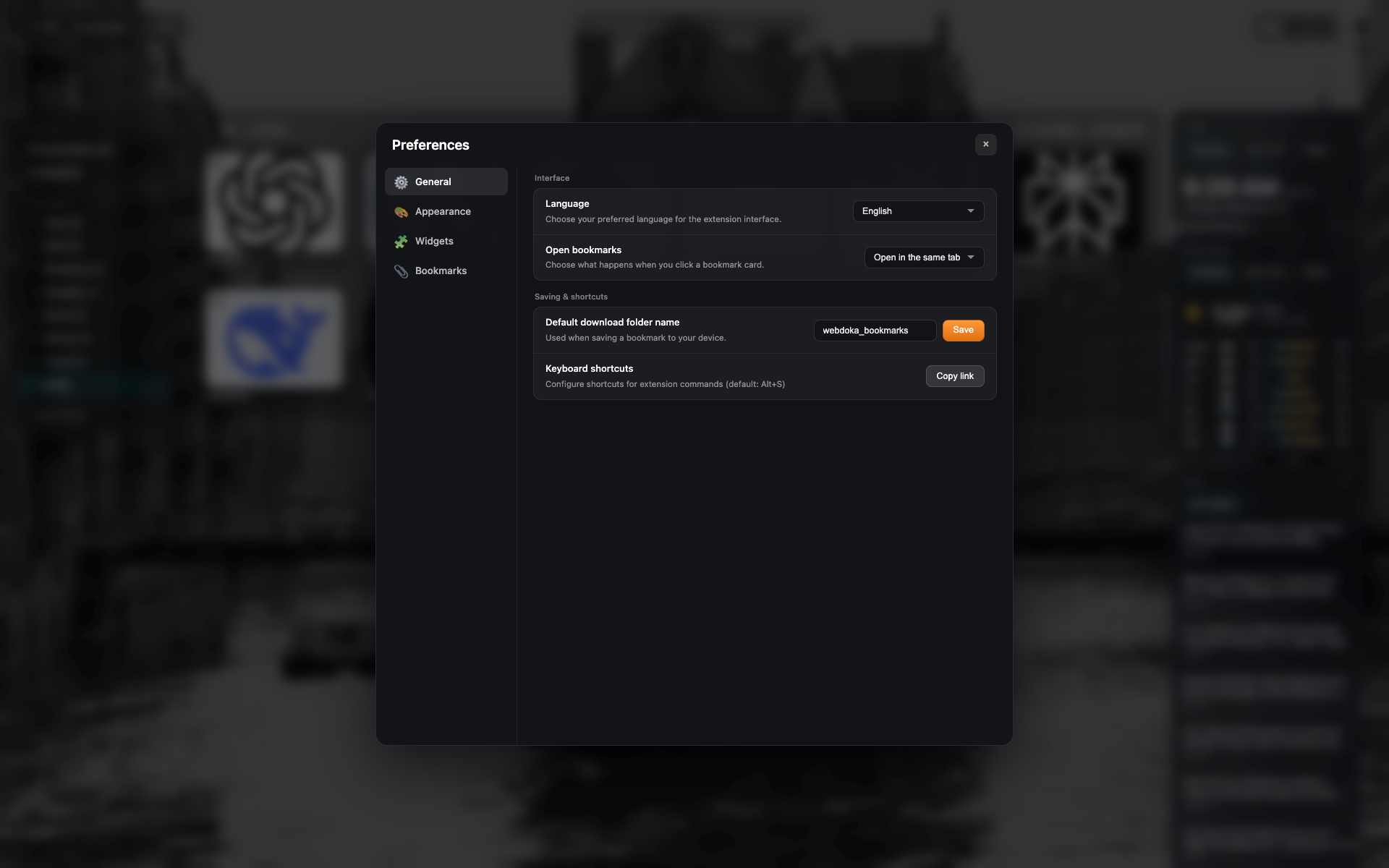
The "General" tab
Settings sidebar: General / Appearance / Widgets / Bookmarks.
"Interface" and "Saving & shortcuts" blocks.
Language = English; open target = the same tab.
Related topics
Didn’t find an answer?
Tell us what’s missing — we build the extension around real requests.