
Product overview — New Tab from Webdoka
Replace Chrome's default new tab with a working board of visual bookmarks with folders, widgets and a page clipper.
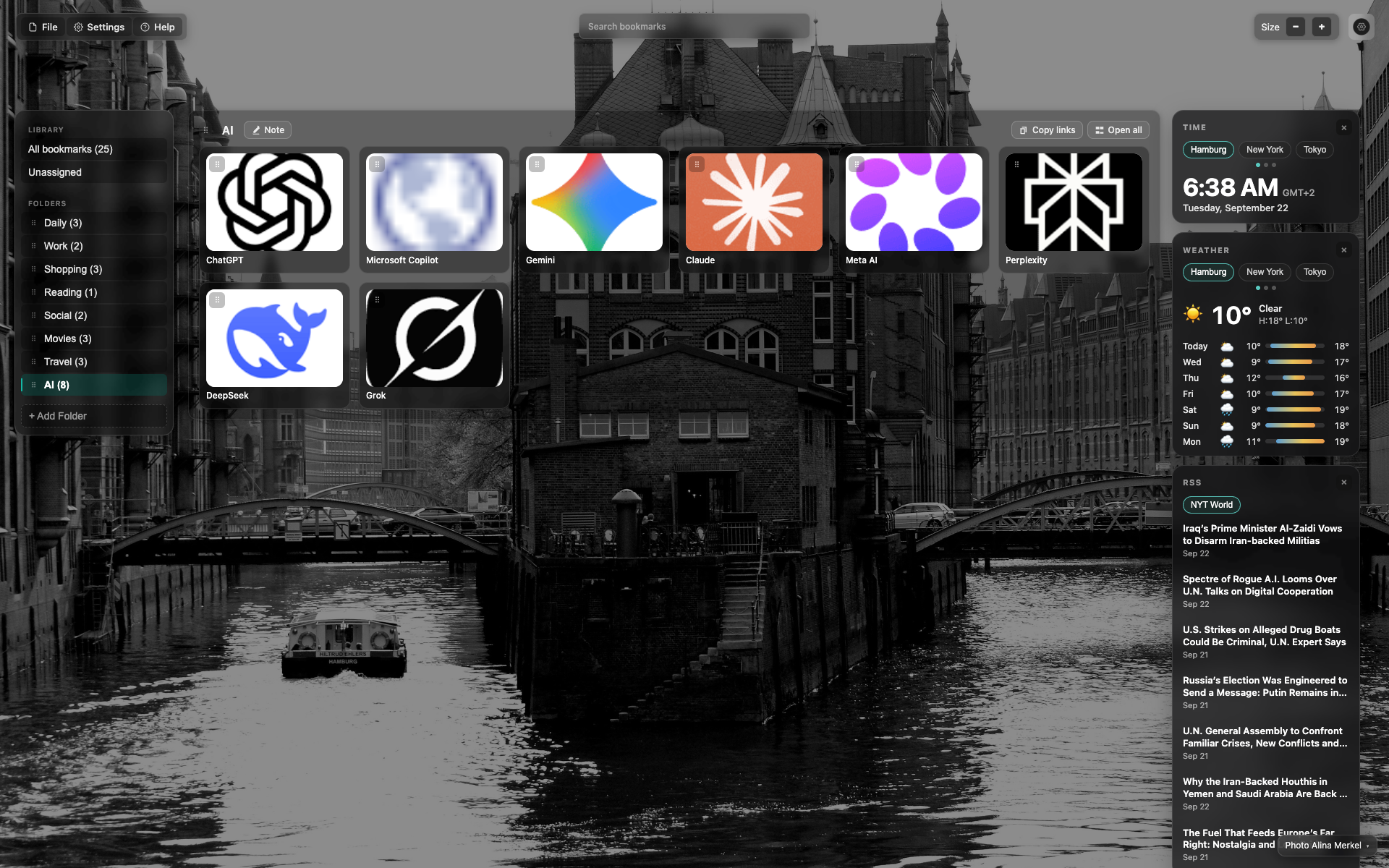
Full NTP overview
Dark glass UI over a black-and-white photo background (a canal, Hamburg).
Top left: File / Settings / Help; centered "Search bookmarks"; a Size control (− / +) on the right.
Library sidebar: All bookmarks, Unassigned, folder list; AI (8) is active.
Center: the "AI" folder title, "Note", "Copy links", "Open all" buttons; a grid of 8 AI cards (ChatGPT, Copilot, Gemini, Claude, Meta AI, Perplexity, DeepSeek, Grok).
Widgets column on the right: Time, Weather, RSS (NYT World).
The recommendations block and the "New in version" banner are not in this frame.
Didn’t find an answer?
Tell us what’s missing — we build the extension around real requests.