
Settings — General
Where in the UI: सभी सेटिंग → General टैब
UI भाषा, बुकमार्क कहाँ खुलें, download folder, Chrome shortcuts लिंक
Interface elements
भाषा चयन
बुकमार्क खोलें: same-tab / new-tab
डाउनलोड फ़ोल्डर नाम
chrome://extensions/shortcuts खोलने का बटन
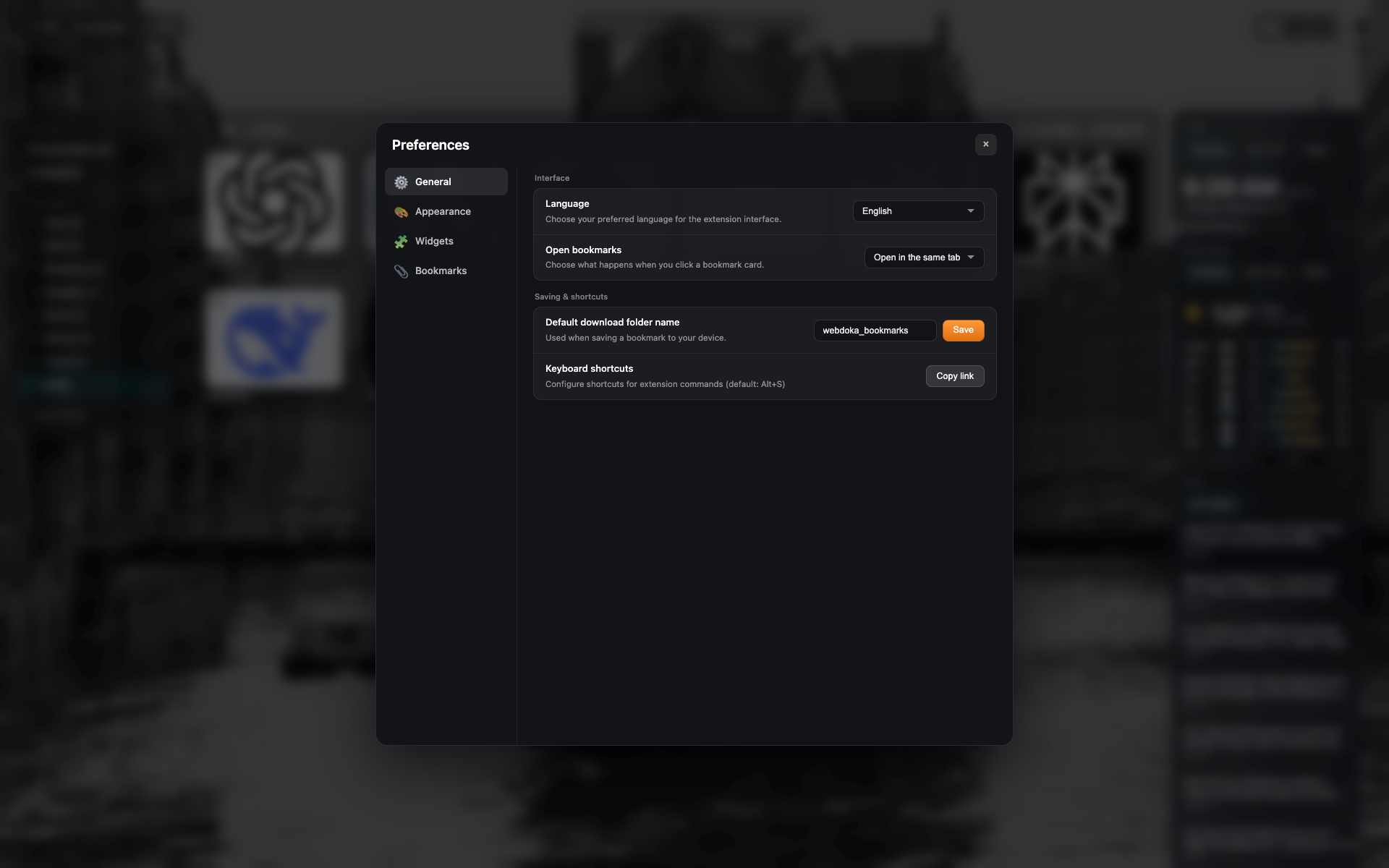
"General" टैब
Settings sidebar: General / Appearance / Widgets / Bookmarks
"इंटरफ़ेस" और "सहेजना और शॉर्टकट" ब्लॉक।
Language = English; same tab में खोलें
Related topics
Didn’t find an answer?
Tell us what’s missing — we build the extension around real requests.