
Settings — Appearance
Where in the UI: Preferences → Appearance
फ़ोल्डर पैनल, UI टेक्स्ट रंग, पृष्ठभूमि
Interface elements
फ़ोल्डर पैनल स्थiti
UI text color (picker + hex + reset)
Preset / server / custom background + reset
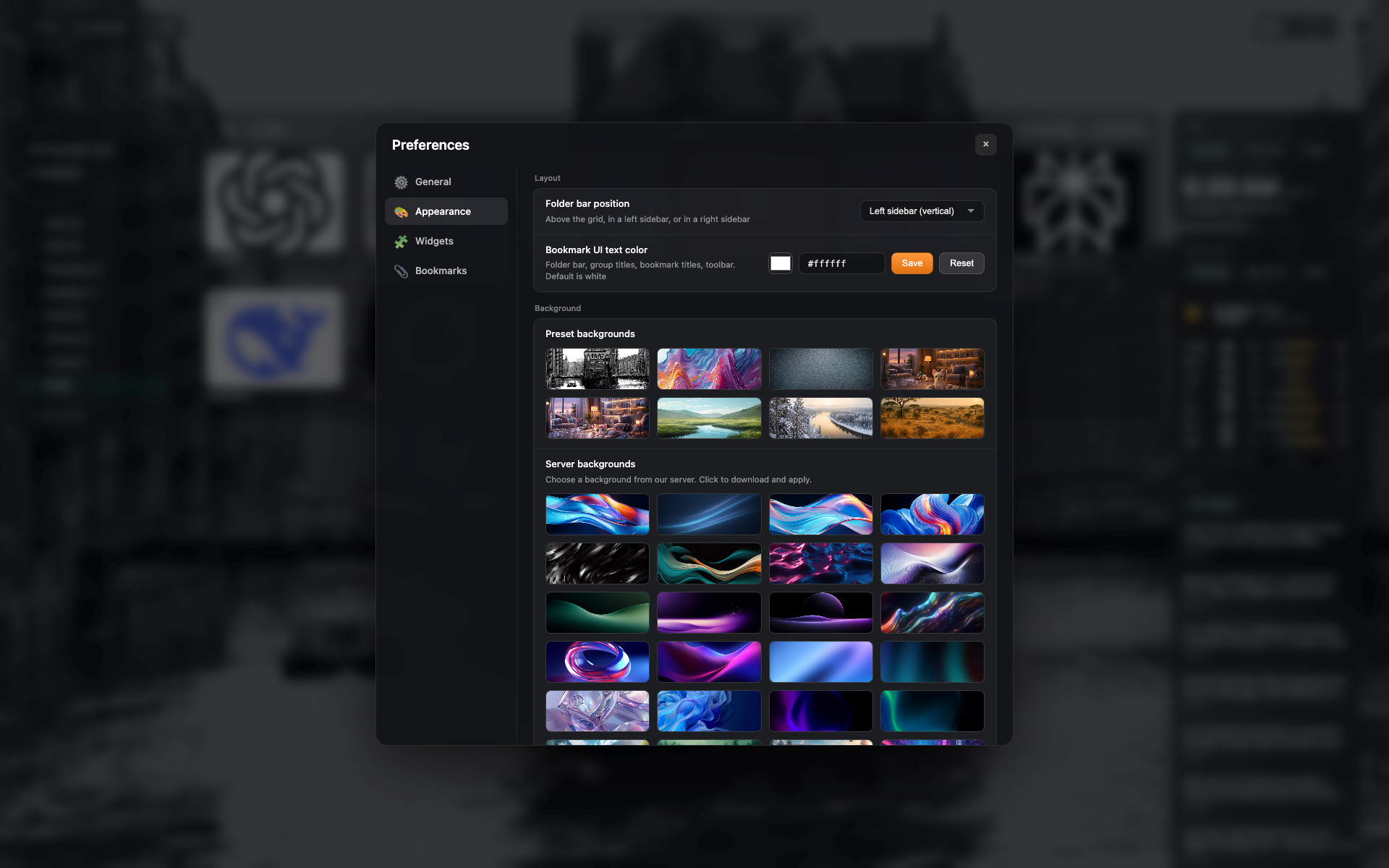
"Appearance" टैब
फ़ोल्डर पैनल स्थiti, टेक्स्ट रंग
पृष्ठभूमि प्रीसेट गैलरी
Related topics
Didn’t find an answer?
Tell us what’s missing — we build the extension around real requests.