
การตั้งค่า — Appearance
Where in the UI: Preferences → Appearance
ตำแหน่งแผงโฟลเดอร์, สีข้อความ UI, พื้นหลัง
Interface elements
ตำแหน่งแผงโฟลเดอร์
สีข้อความ UI (ตัวเลือก + hex + reset)
พื้นหลัง preset / server / กำหนดเอง + reset
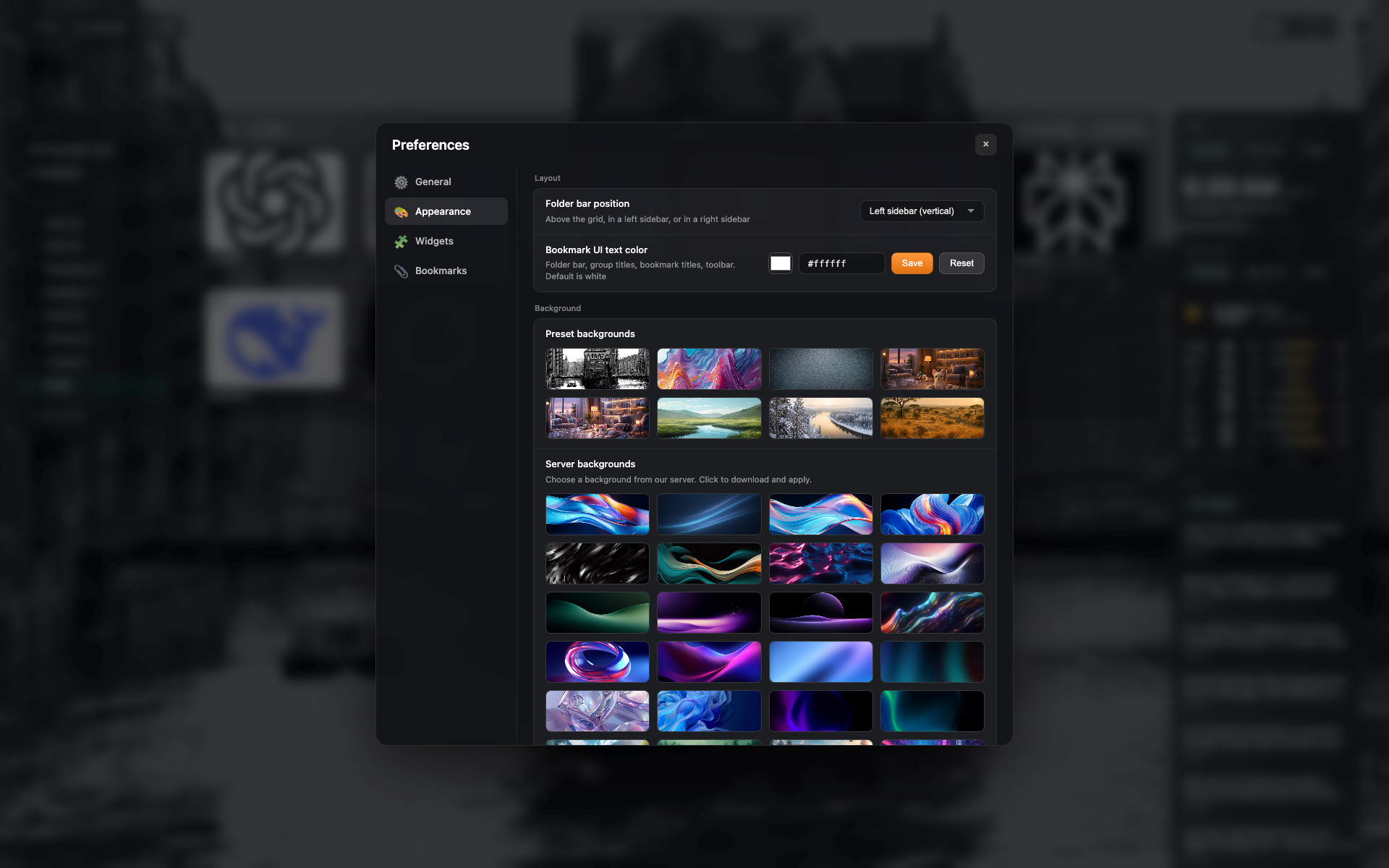
แท็บ "Appearance"
ตำแหน่งแผงโฟลเดอร์, สีข้อความ
แกลเลอรีพื้นหลังสำเร็จรูป
Related topics
Didn’t find an answer?
Tell us what’s missing — we build the extension around real requests.