
Priečinky a bočný panel
Where in the UI: panel priečinkov NTP (priečinoks.ts).
zakładki in einem Priečinokbaum organisieren.
Interface elements
Verschachtelter Baum (parentId), Aufklapp-Pfeile, Zähler.
System: Alle / Nepriradené + Standardordner Alltag, Arbeit, Einkaufen, Lesen, Soziales, Filme, Reisen, KI.
Pozycja panelu: góra / lewo / prawo (Vzhľad).
Hinweis auf Notatka / Tag am Priečinokknoten.
Anlegen: Súbor → Neuer Priečinok lub "+ Priečinok hinzufügen".
Main flow
1
Kliknięcie priečinka filtruje zakładki.
2
Priečinok anlegen: Name + übergeordneter Priečinok.
3
Odstrániť: Unterordner rücken nach oben; optional mit den zakładki löschen.
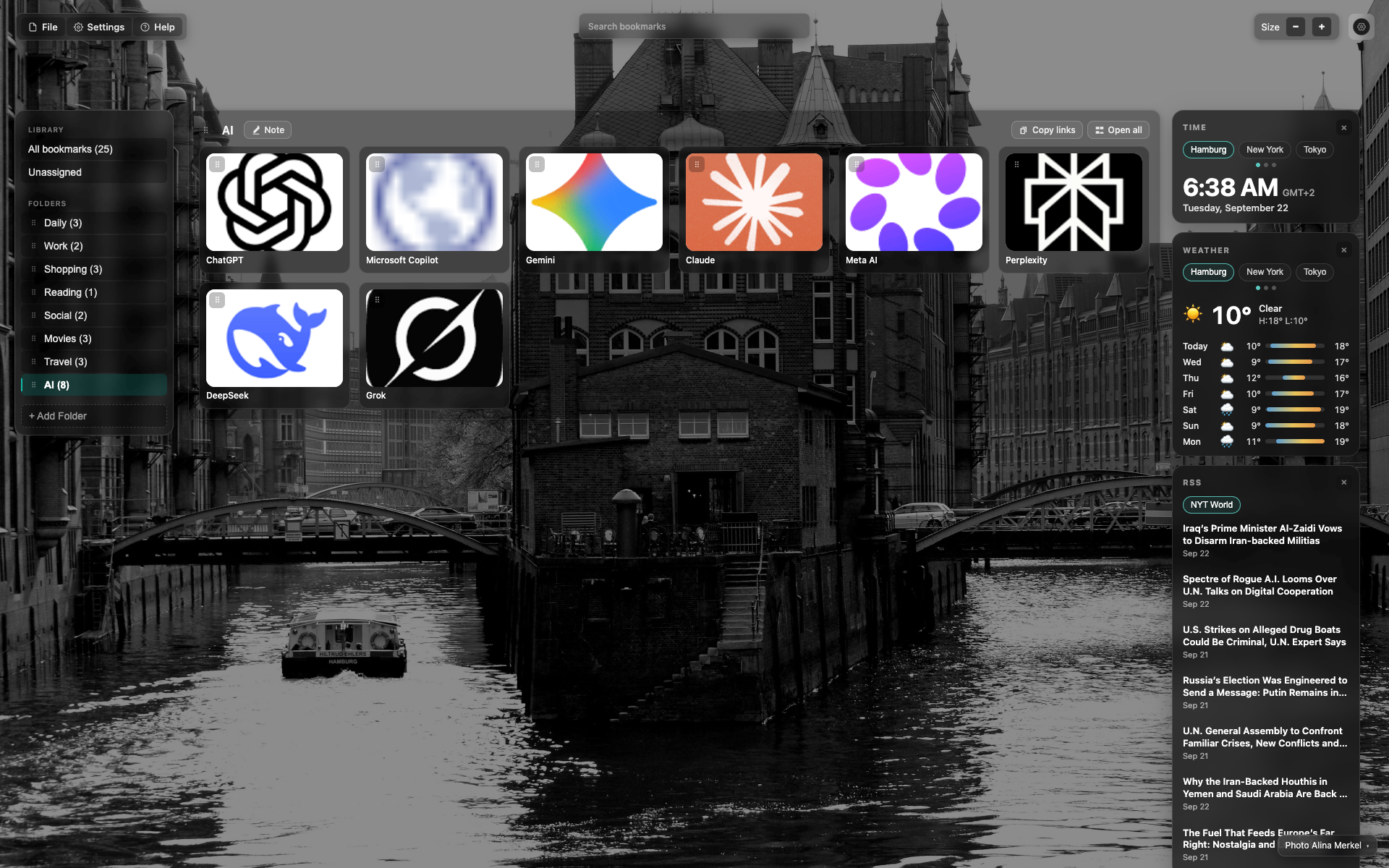
Priečinok-bočný panel
Abschnitte "Biblioteka" i "Priečinok" mit Zählern.
Aktiver Priečinok ist hervorgehoben (hier KI).
Tlačidlo "+ Pridať priečinok" na dole.
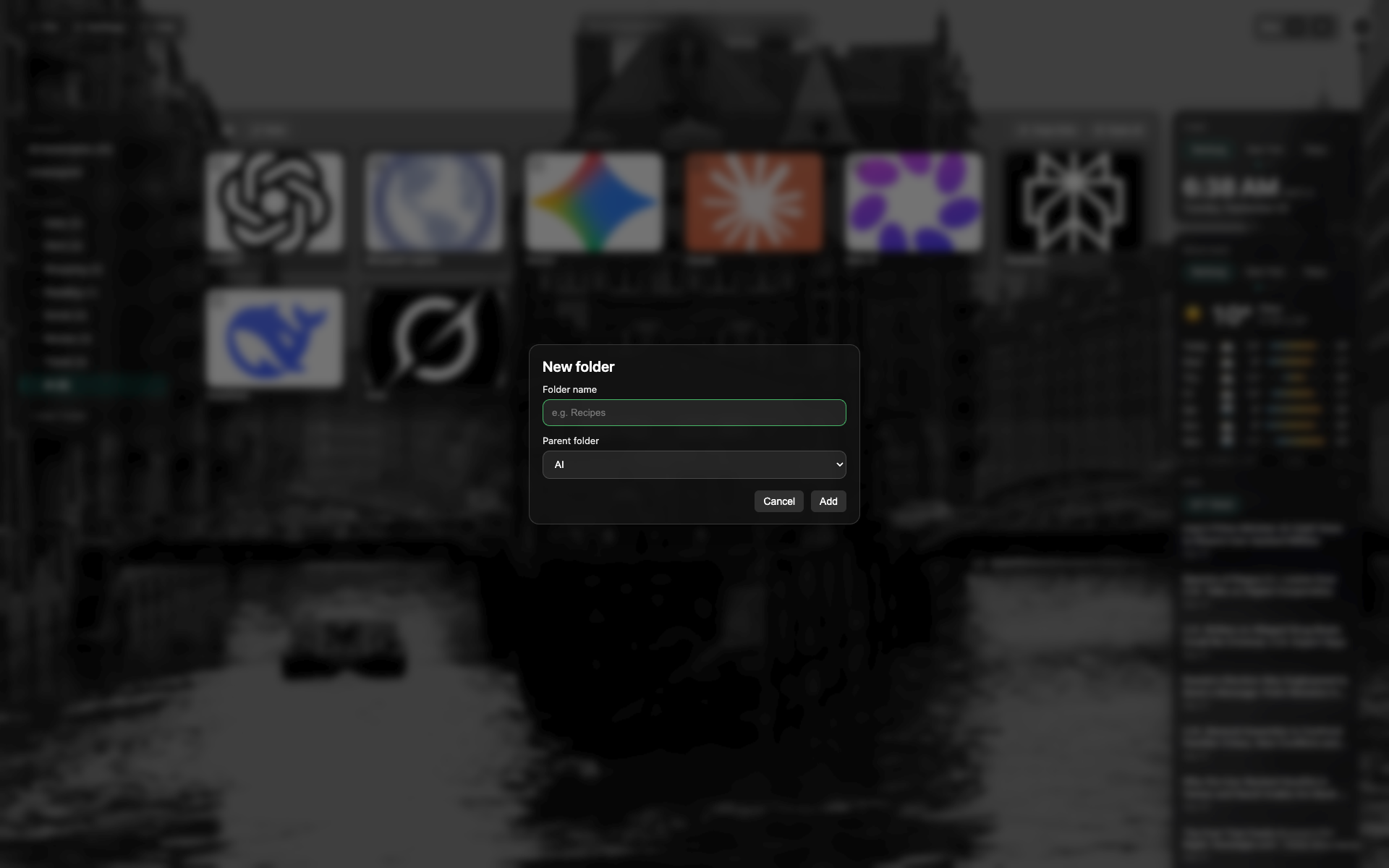
Modal "Neuer Priečinok"
Namensfeld i Auswahl des übergeordneten Priečinoks.
Zrušiť / Utwórz.
Related topics
Didn’t find an answer?
Tell us what’s missing — we build the extension around real requests.