
ಬುಕ್ಮಾರ್ಕ್ ಅನ್ನು ಕೈಯಾರೆ ಸೇರಿಸಿ
Where in the UI: File → New bookmark; "+" ಕಾರ್ಡ್; #addClipModal
ಪುಟ ಕ್ಲಿಪ್per ಇಲ್ಲದೆ URL ಸೇರಿಸಿ
Interface elements
फ़ील्ड: URL, ಶೀರ್ಷಿಕೆ, ಫೋಲ್ಡರ್ पिकर
Cancel / Add
ಮೆನು शॉर्टकट: ⌘N / Ctrl+N
Main flow
1
File → New bookmark
2
URL (और वैकल्पिक ಶೀರ್ಷಿಕೆ) दर्ज ಮಾಡಿ, ಫೋಲ್ಡರ್ ಆಯ್ಕೆಮಾಡಿ
3
Add → ಕಾರ್ಡ್ ಗ್ರಿಡ್ ರಲ್ಲಿ दिखता
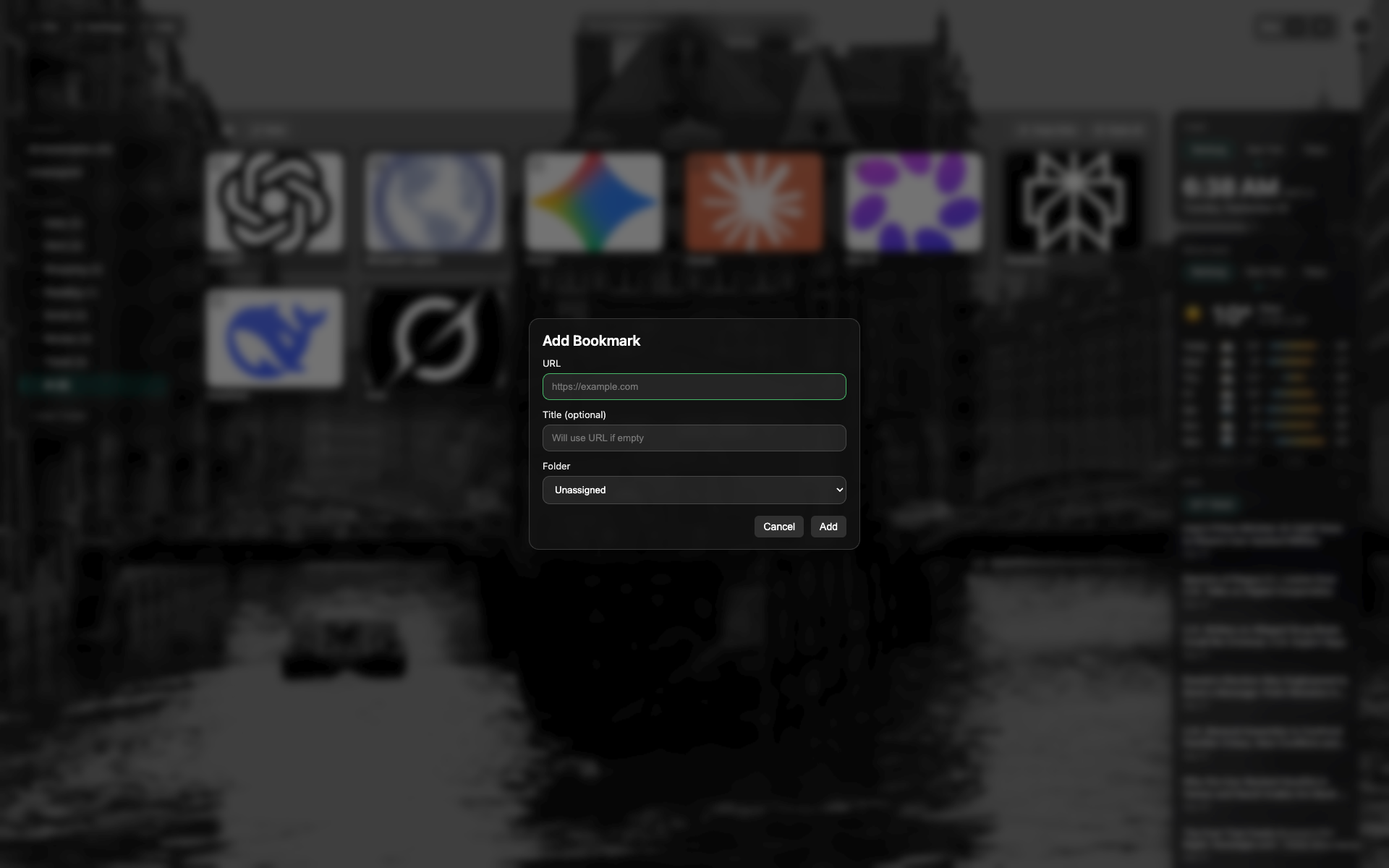
New bookmark modal
URL and title fields, a folder select.
Cancel / Add buttons at the bottom of the modal.
Related topics
Didn’t find an answer?
Tell us what’s missing — we build the extension around real requests.