
Extension icon popup
Where in the UI: I-click ang icon sa Chrome toolbar → popup.html
Mabilis na clip at ibalik ang W button
Interface elements
Capture area
I-save ang page sa Unassigned
Ipakita ang floating button (kung nakatago)
Help / features → help site
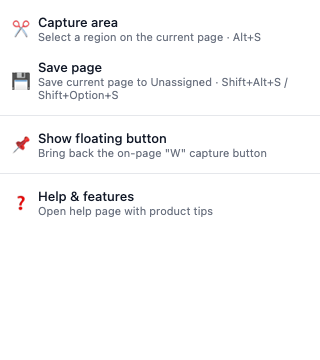
Extension popup
Makitid na panel na may 2–4 clipper action
Help link sa ibaba
Related topics
Didn’t find an answer?
Tell us what’s missing — we build the extension around real requests.