
擴充套件圖示彈窗
Where in the UI: 點選 Chrome 工具欄圖示 → popup.html。
快速剪藏與恢復 W 按鈕。
Interface elements
捕獲區域
將頁面儲存到未分類
顯示浮動按鈕 (若已隱藏)
幫助 / 功能 → 幫助網站
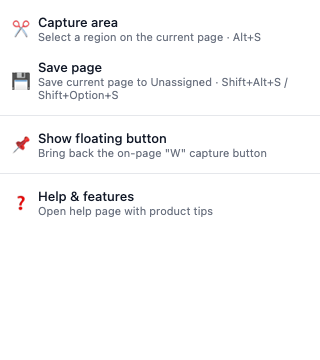
擴充套件彈窗
含 2–4 個剪藏操作的窄面板。
底部幫助連結。
Didn’t find an answer?
Tell us what’s missing — we build the extension around real requests.